
These settings will manage the necessary parameters need to communicate with the mobile application.
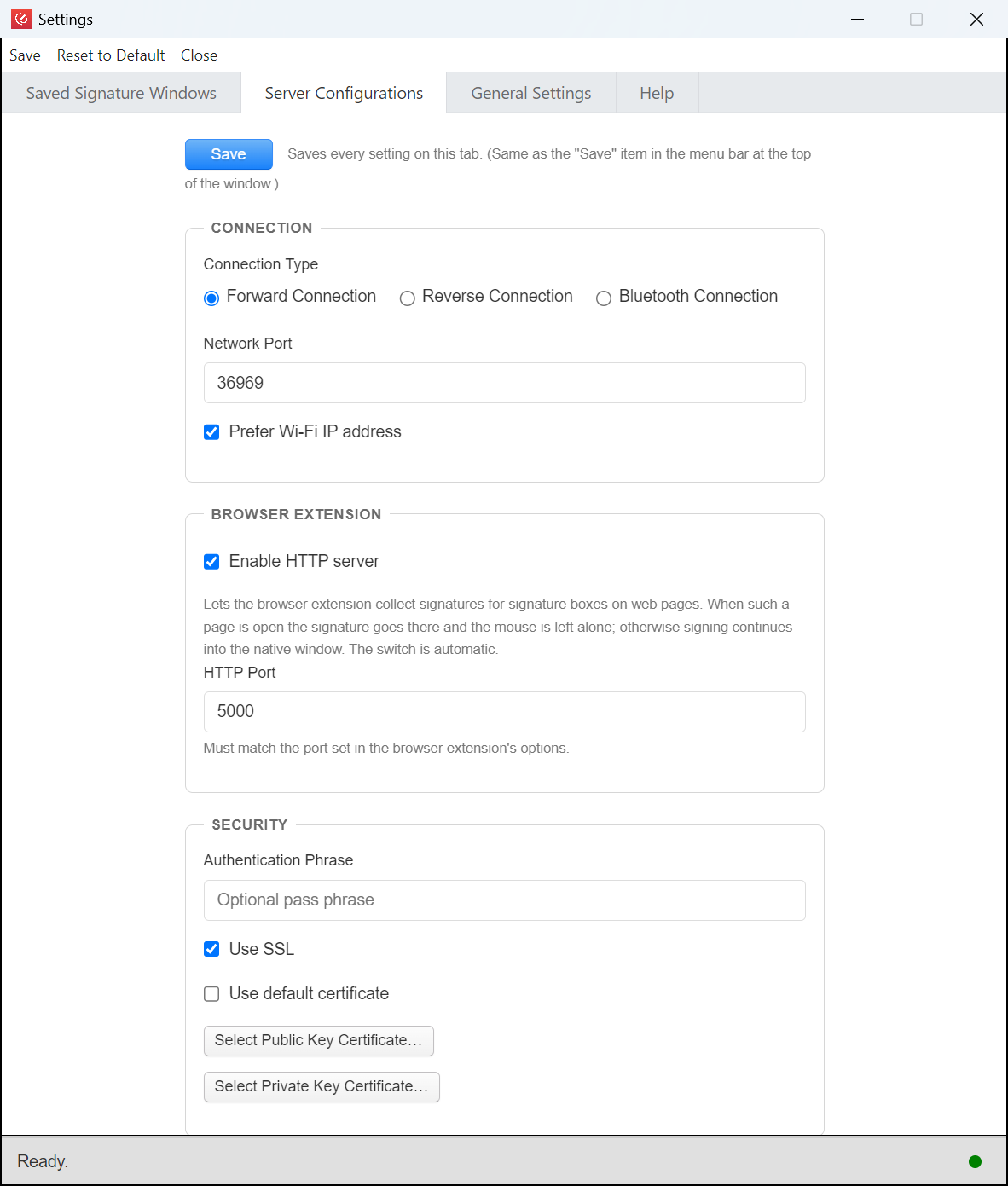
Forward Connection or Reverse Connection: If you set forward connection, please ensure forward connection is selected in the mobile application as well for communications.
Network Port: If there is any network ports requirement in your environment, you can opt to change the port accordingly. Please ensure the port specified here is the same in the mobile application.
Authentication Phrase: If there is a need to protect the connection, you can specify your own authentication phrase here. Please ensure the same phrase is specified in the general settings of the mobile application.
Wifi IP Address Preference First: By checking this, QR code will show the wifi ip address if found. Otherwise it will just show whichever IP address is found.
Use SSL: It is recommended to use SSL to protect the communication channel in case you environment is not secured. Please ensure Use SSL is the specified in the mobile application as well.
Use Default Certificate: For default settings, it will use our self signed certificate. However, if there is a need to further secure with your own custom certificate. You can opt to use them as shown below:
